
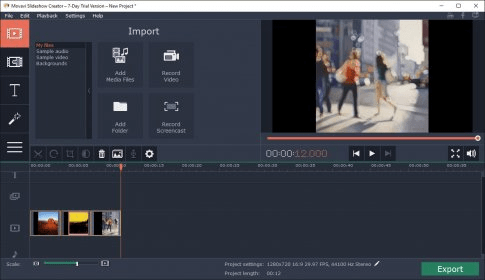
Movavi Slideshow Creator is a powerful tool that offers a comprehensive and effective method of creating impressive slideshows. It's a feature-rich application that lets you design awesome, professional-looking slideshows using transitions, effects, titles, music, and so on. Best of all, you can use your own media files, both photos and videos for the contents of the slideshows.
Movavi Slideshow Creator is also very easy to use. After you add your media files to the project, you can choose from more than 90 different transitions to add connections to the slides, then add music, titles and effects. Finally, after you review and customize all the aspects of the slideshow, you can export it to popular video formats like MP4, AVI, MPG, and MOV, save it directly to your mobile device (Android, Apple, BlackBerry, etc.), or even share it online on popular social networking websites.
There's a huge amount of additional features and functions that this impressive application supports, including, just to name a few, the possibility to cut slides and rotate frames, image quality enhancement capabilities, photo cropping and zooming functions, or even the possibility to use your microphone and record your own voiceovers to add to the slideshows.
In conclusion, Movavi Slideshow Creator is a great choice for your slideshow creation needs, as it comes with a lot of handy features and options, yet it's also really easy to use and intuitive.





Comments